Debug Settings
Debug Settings are an advanced tool that can help resolve issues with your account.
Be careful when accessing them, as some changes can have unintended effects!
Enabling Debug Settings
To enable the Debug Settings Menu, click the build hash at the bottom of the goose menu 21 times.
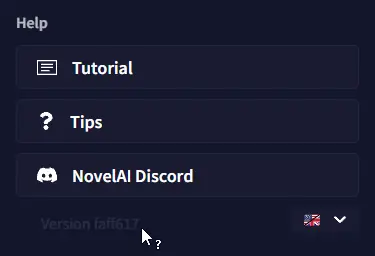 After that, you can open the User Settings and access the Debug Settings from there.
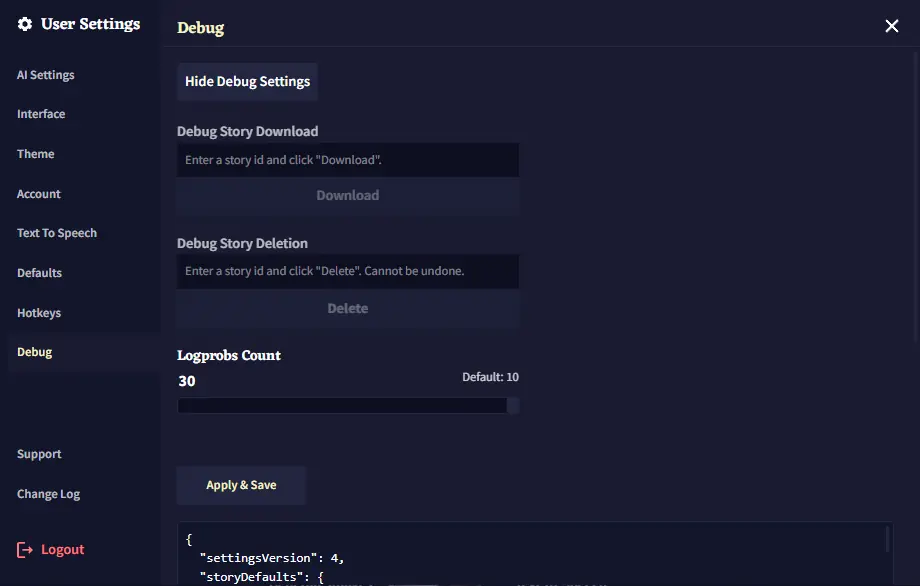 If you want to disable the Debug Settings menu, you need to click the Hide Debug Settings button located inside the menu itself. After doing that, the menu can be unlocked again using the initial build hash method.
**Goose Tip:** You can only unlock the Debug Settings once per session. So if you're not able to reactivate the menu by clicking the *build hash* 21 times, try reloading the page!
## Debug Story Download/Deletion
Using the **Debug Menu**, it's possible to *download* or *delete* stories that may be inaccessible otherwise.
Find the ID in the address bar when the chosen story is selected. It's everything to the right of `/stories?id=`\
For example, if your link is `https://novelai.net/stories?id=be6a65e2-d7c8-4218-bba3-1234a1234a3a`
The **Story ID** is `be6a65e2-d7c8-4218-bba3-1234a1234a3a`\
Enter the ID in the desired field, then click **Download** or **Delete**. If you click Download, the story should be downloaded immediately, and if you click Delete, you should be greeted with a pop-up asking for confirmation.
## Logprobs Count
This slider lets you select how many alternative tokens are shown for the "Token Probabilities" tool, up to a maximum of **30** alternative tokens.
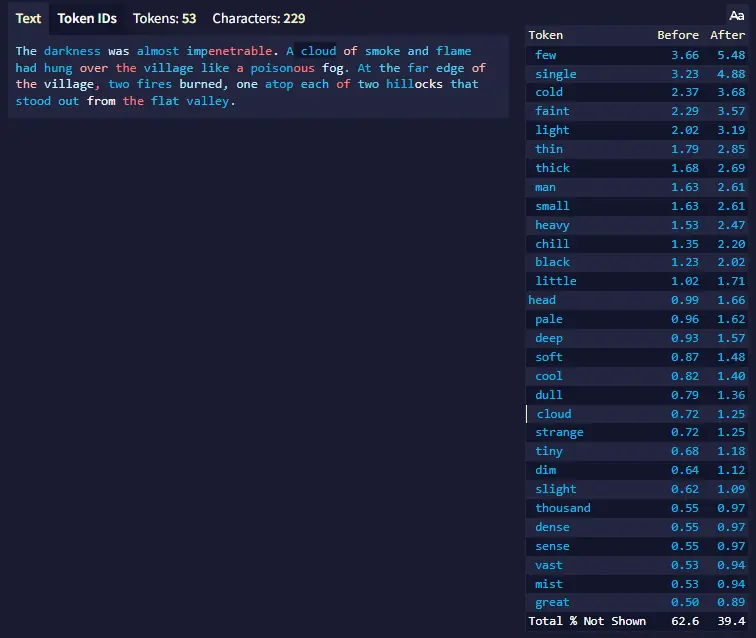
This setting is persistent, and the selected number will be applied even after you log out or hide the debug settings. The **default value is 10**. Warning: If this is set too high, the Token Probabilities hover may extend upward off-screen when there is insufficient vertical space.
## Apply & Save
At the bottom of the Debug Settings menu, there's a big text box with some lines of code. Those are your NovelAI settings. You can manually edit values there in case it's necessary, or back them up.\
**Altering the text written there is not recommended.**
**Goose Tip:** The Apply & Save button is only used for applying the manually altered settings in the text box below it. You **don't** need to press the button to apply any other Debug Settings features.