UI 拡張(UI Extensions)
UI 拡張は、NovelAI にスクリプト用のカスタム UI 要素を追加する仕組みです。拡張 UI はさまざまな場所に表示でき、スクリプトのための操作部品として機能します。
UI 拡張は api.v1.ui.register で登録します。ID を付けて登録した拡張は api.v1.ui.update で更新できます。api.v1.ui.update は、ID が付いていれば新しい拡張を追加する用途にも使えます。
拡張は type プロパティを持つオブジェクトとして定義します。タイプごとにプロパティが異なり、挙動や見た目を定義します。多くの拡張は UI パーツで内容を記述できます。UI パーツについては UI パーツ を参照してください。
拡張タイプ
コンテキストメニューボタン(Context Menu Buttons)
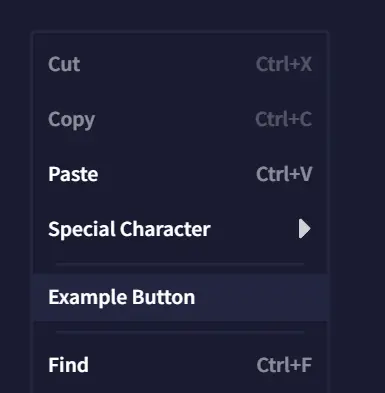
エディターで右クリックしたときに出るコンテキストメニューに表示されます。コールバックには、現在のドキュメント選択範囲が渡されます。
例:
api.v1.ui.register([
  {
    type: 'contextMenuButton',
    text: 'Example Button',
    callback: () => {
      api.v1.log('Example context menu button clicked.')
    }
  }
])
ツールバーボタン(Toolbar Buttons)
エディターの通常ツールバーの上に、スクリプト用の新しいツールバーが表示されます。Toolbar Buttons はこのバーに配置されます。
例:
api.v1.ui.register([
  {
    type: 'toolbarButton',
    text: 'Example Button',
    callback: () => {
      api.v1.log('Example toolbar button clicked.')
    }
  }
])
ライターズ・ツールボックスのオプション(Toolbox Options)
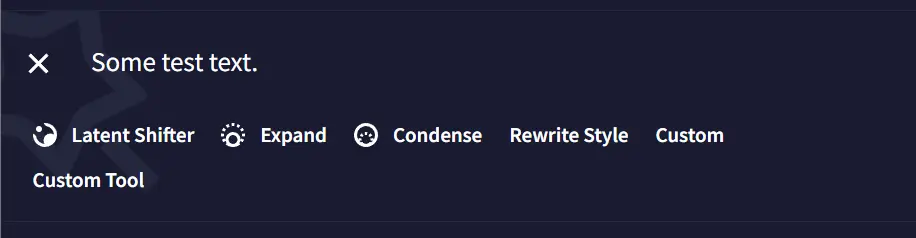
ライターズ・ツールボックスに新しいツール項目を追加します。スクリプト追加の項目は、通常の選択肢の下に表示されます。
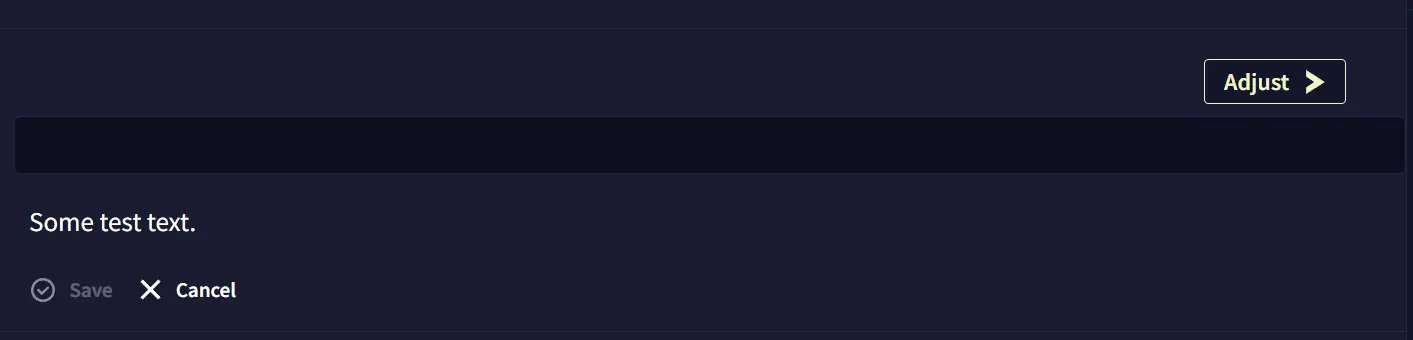
コールバックは、ツール選択中にユーザーが “Adjust” ボタンを押したときに呼ばれます。コールバックには、ツール対象として選択されたテキストと、ドキュメント上の選択範囲が渡されます。返した文字列は「変更後テキスト」として扱われます。content フィールドを使うと、ツール選択中にツールボックス内へ表示する UI パーツも定義できます。
例:
api.v1.ui.register([
  {
    type: 'toolboxOption',
    name: 'Custom Tool',
    content: [
      {
        type: 'textInput',
        storageKey: 'tool-input',
      }
    ],
    callback: ({ text }) => {
      api.v1.log('Custom tool executed.')
      return { text: text + ' New text.' }
    }
  }
])
スクリプトパネル(Script Panels)
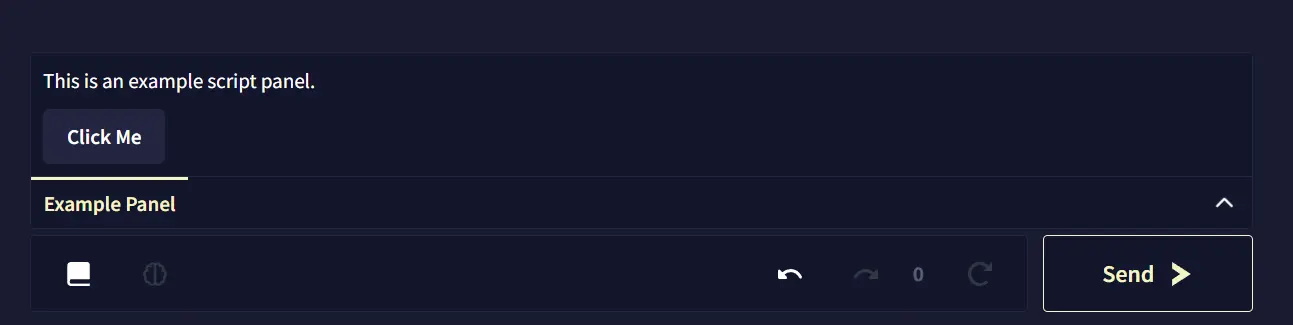
スクリプトパネルは、ドキュメントとコントロールの間に追加される折りたたみ式パネルです。UI パーツで自由な UI を構築できます。開けるパネルは同時に 1 つだけです。
例:
api.v1.ui.register([
  {
    type: 'scriptPanel',
    name: 'Example Panel',
    content: [
      {
        type: 'text',
        text: 'This is an example script panel.'
      },
      {
        type: 'button',
        text: 'Click Me',
        callback: () => {
          api.v1.log('Button in script panel clicked.')
        }
      }
    ]
  }
])
サイドバーパネル(Sidebar Panels)
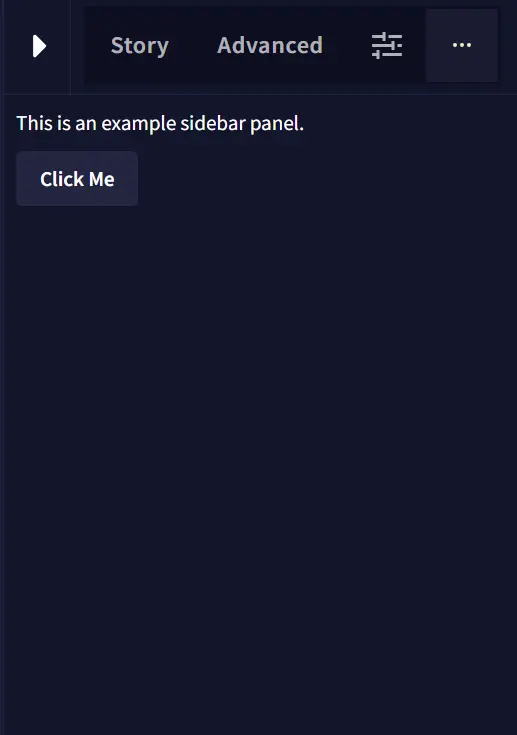
サイドバーパネルは、ストーリーが開いているときに右サイドバーへ新しい ”…” タブとして追加されます。スクリプトパネルと同様に UI パーツで内容を定義できます。複数登録すると、サイドバー内でタブとして並びます。
例:
api.v1.ui.register([
  {
    type: 'sidebarPanel',
    name: 'Example Sidebar',
    content: [
      {
        type: 'text',
        text: 'This is an example sidebar panel.'
      },
      {
        type: 'button',
        text: 'Click Me',
        callback: () => {
          api.v1.log('Button in sidebar panel clicked.')
        }
      }
    ]
  }
])
ロアブックパネル(Lorebook Panels)
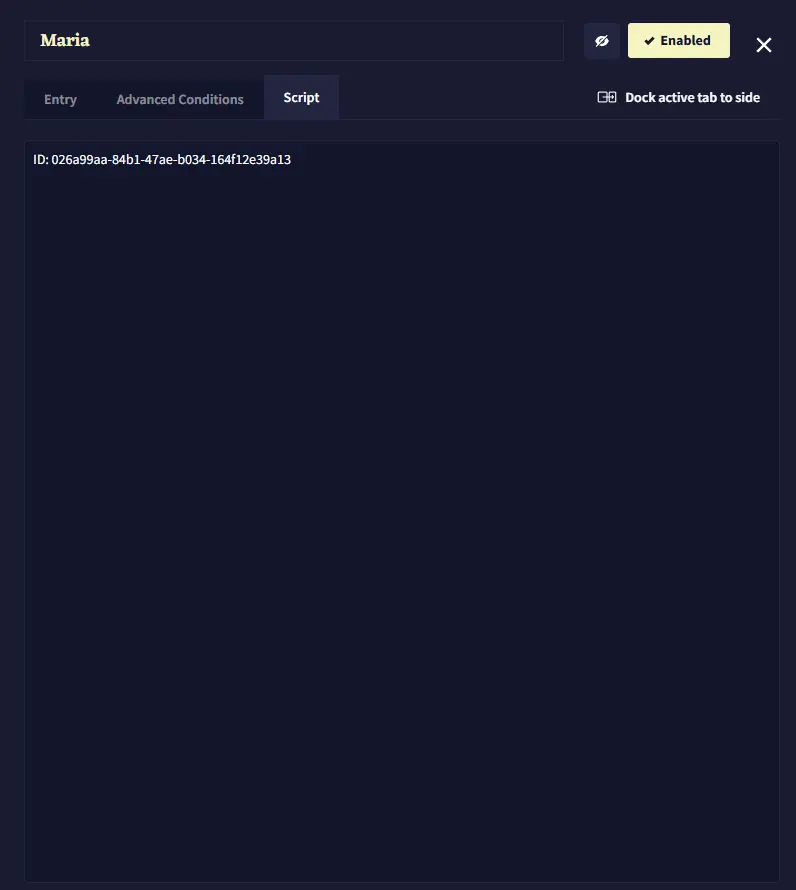
ロアブックパネルは、ロアブックのエントリ/カテゴリにある “Script” タブ内に表示されます。複数登録すると、その “Script” タブ内でさらにタブとして並びます。内容は UI パーツで定義します。選択中のエントリ/カテゴリに応じて内容を変えたい場合は、onLorebookEntrySelected フック内で描画/更新してください。
例:
api.v1.hooks.register('onLorebookEntrySelected', async ({ entryId, categoryId }) => {
  api.v1.ui.update([{
    type: "lorebookPanel",
    id: 'lore-info-panel',
    content: [
      {
        type: 'text',
        text: `ID: ${entryId ?? categoryId}`
      }
    ]
  }])
})
参考
- UI パーツ - UI の構築ブロック
- フック - ロアブック選択への応答
- ロアブック API - ロアブックの操作
- API リファレンス - API 全体(英語)