Effort Toggle
Our NovelAI Diffusion V5 Full model features an Effort Toggle that lets you pick between “Medium” and “High” effort.
High effort is the same model you’re already used to with all the available features and settings.
Medium effort will switch to a distilled model designed to be more cost-efficient while still being able to deliver high-quality images.
The Effort toggle can be found next to the Anime/Furry mode toggle.

The main advantage is that compared to a “high” effort 23 step generation, a “medium” effort generation costs about 42% less usage at default settings, with quality that held up against each other in our blind tests.
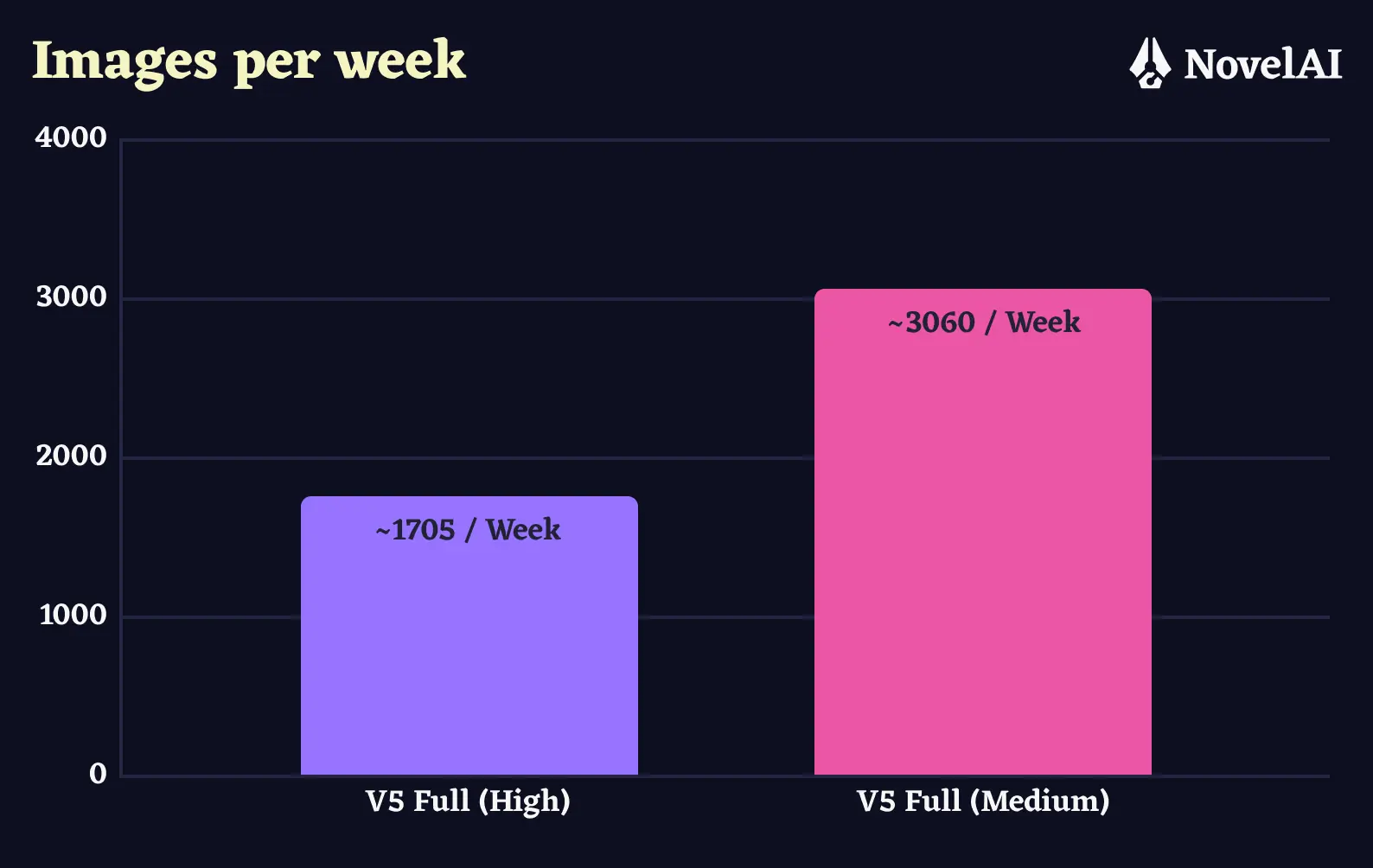
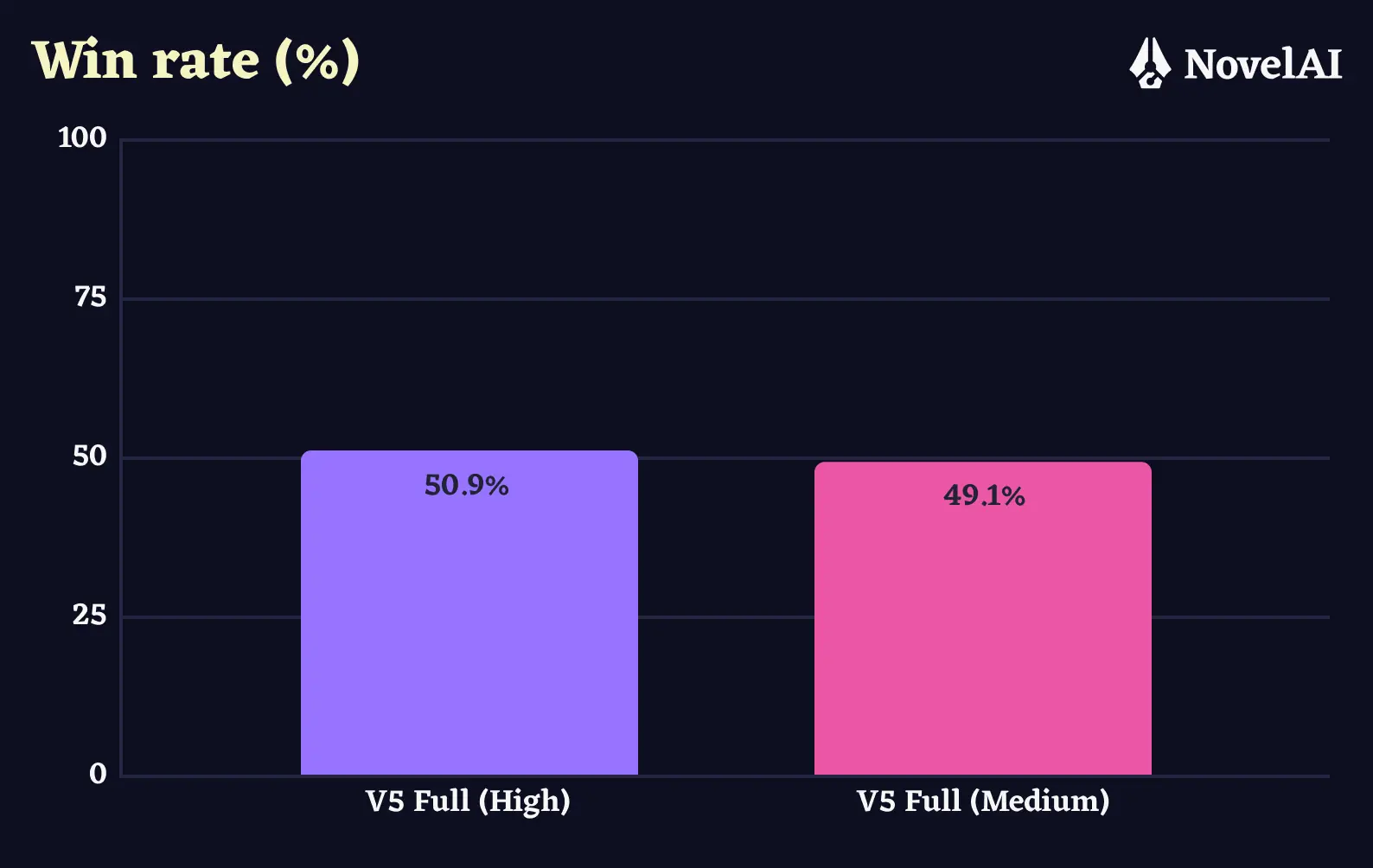
When using the Medium effort setting there are a few things to consider:
- Medium effort generations only run at 14 steps.
- Medium effort only works with the Euler Ancestral sampler.
- Medium effort doesn’t let you specify a custom Undesired Content prompt, or change it’s preset.
- Medium effort does let you change Prompt Guidance, but not Prompt Guidance Rescale.
If you wish to do negative prompting on the “Medium” effort level, please try using negative emphasis. For example, if a character is usually wearing a hat and you would like to remove it, try adding -3::hat:: to your prompt, no Undesired Content needed.
Note: The “medium” effort level is only available for NovelAI Diffusion V5 Full and its inpainting mode.