Precise Reference
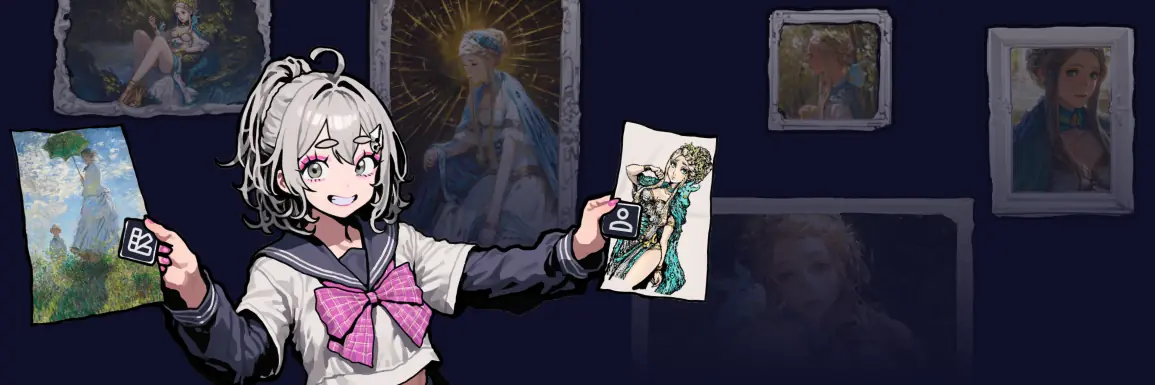
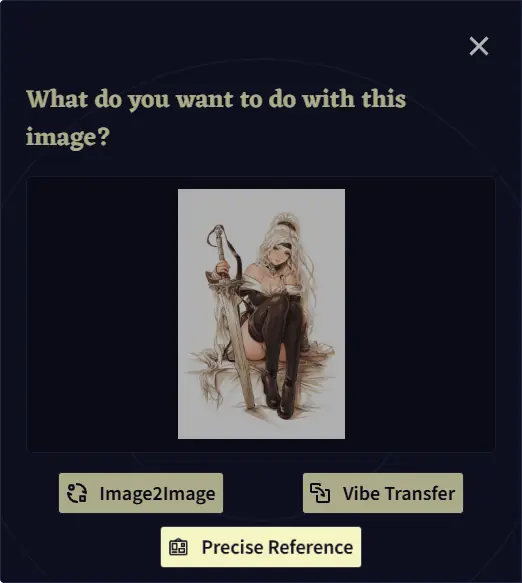
 Precise Reference is a tool used to guide your generations based on a provided reference image, giving you even finer control over both the overall visual style of your image, and the appearance of your character. The available types of reference are
  Character Reference,
  Style Reference, and
  Character & Style Reference.
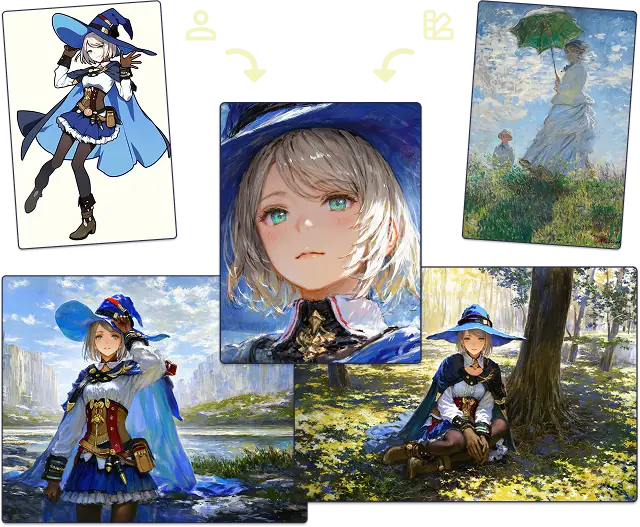
With Character Reference, you can simply add an image of the character you want to reproduce in your generated image and, often without even needing to tag any details, the AI will do its best to accurately represent the character. This allows you to keep characters you create consistent and even to generate art of characters that the model does not intrinsically know.
With Style Reference, you can influence the overall style of a generated image. You’re free to mix and match both reference types to guide your creative vision. You can even create completely new styles by mixing and matching your references.
However, please note that using multiple character references at once will currently blend them together, rather than treating them as separate characters within a single generation.
Using Precise Reference will apply an additional cost of 5  Anlas to each image generation. This extra cost scales with the number of references you use.
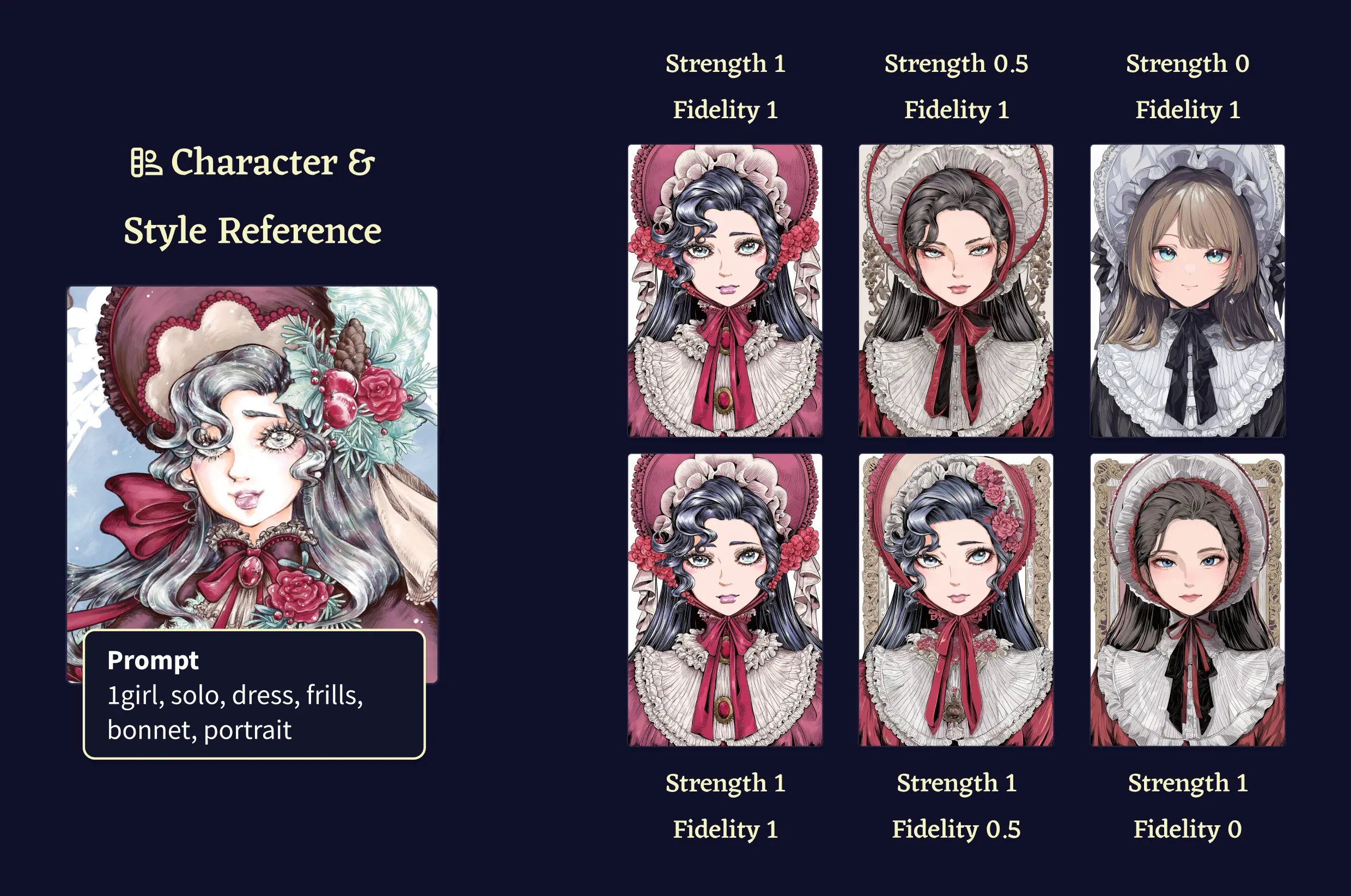
There are two settings on the Precise Reference feature, the Strength and Fidelity sliders.
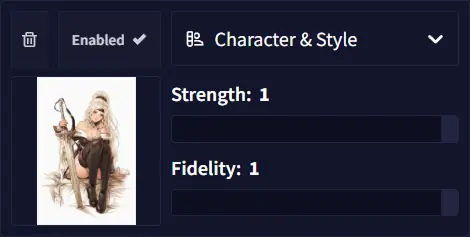
The Strength slider controls how strongly the AI attempts to emulate visual cues from the provided reference image. As the slider approaches one, the AI increasingly adheres to elements such as stylistic features, color palettes, and other visual characteristics found in the reference image. Lower values on this setting grant the AI greater creative license and freedom. Conversely, higher values increase the influence of the reference image on the output, which can make facial expressions, angles, and character poses appear overly similar to your reference image. If this over-reliance on the reference becomes a recurring problem, reduce the strength slider to allow the AI more creative latitude.
The Fidelity slider controls how precisely the reference is applied. At a value of one, the reference is enforced more aggressively and is more difficult to override through prompting. At a value of zero, the model behaves more flexibly with respect to the reference. Actual behavior may vary in some cases, so we recommend experimenting with different settings to achieve your desired result.
Goose Tip: You can also input negative values on the sliders by clicking on the number! This can be a useful trick with a particularly ugly reference image.
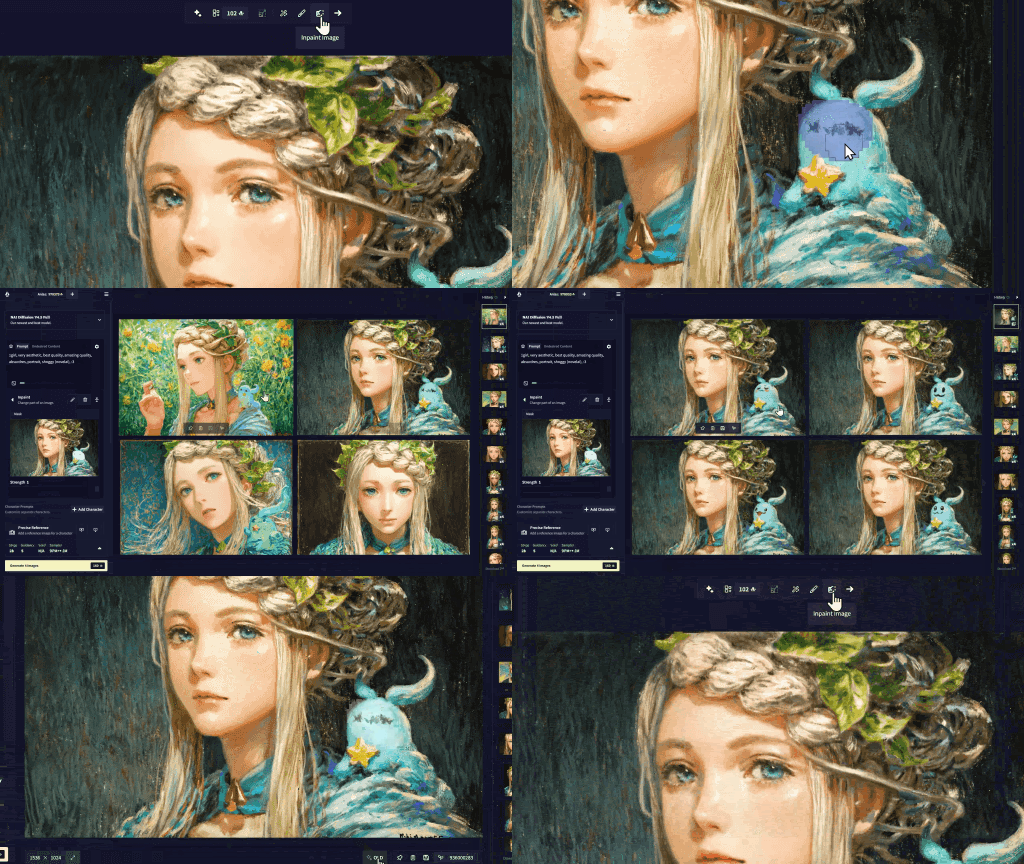
Precise Reference also works with Inpainting. You can use your References to guide what the AI will infill into the selected area, easily allowing you to fix up outfits, details or other characteristics that you want to include in your generation.
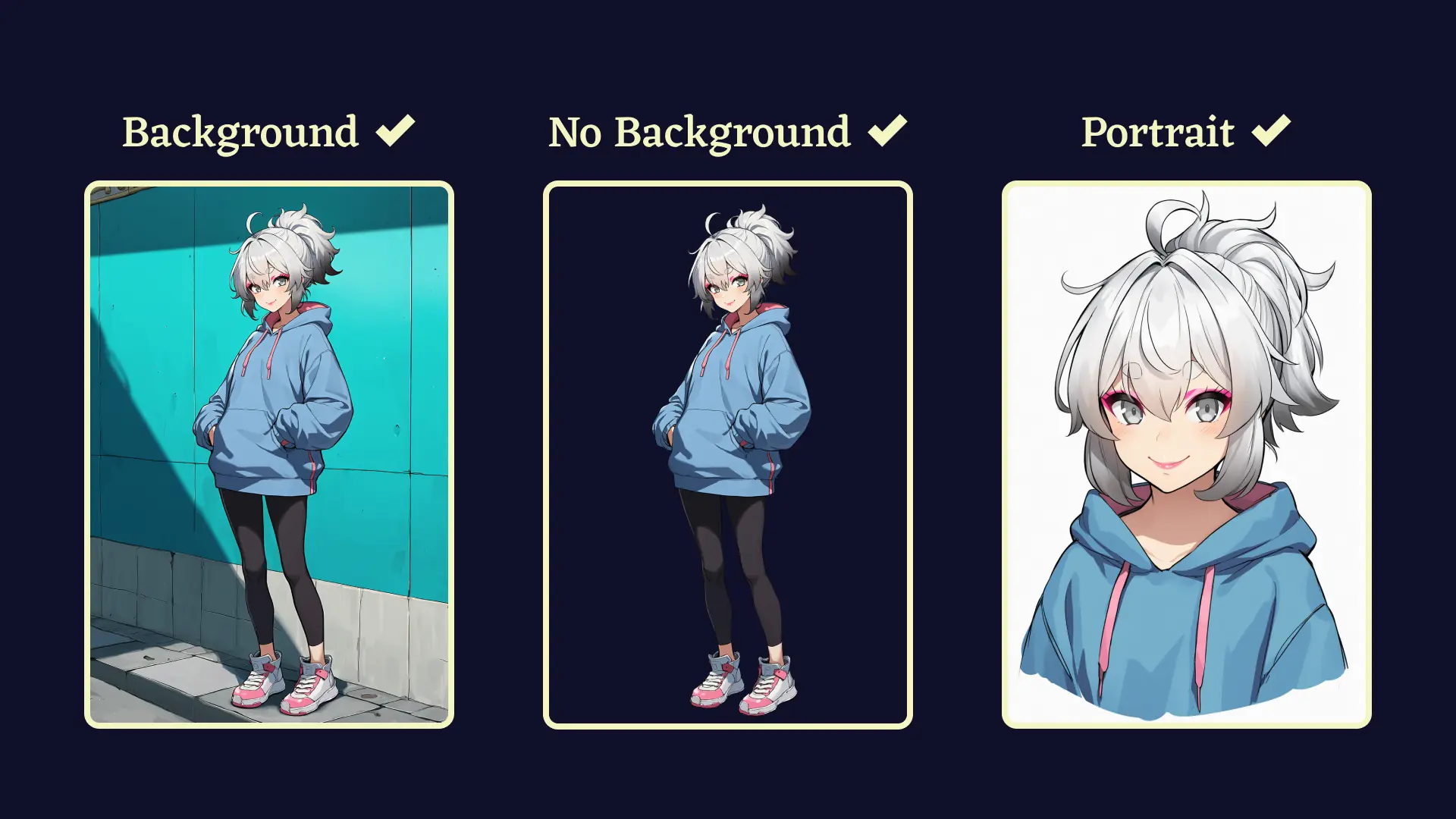
When choosing an image to use as Character Reference, a full body shot of a standing character in a neutral pose on a basic background should serve as a reliable choice. Adding a zoomed in crop of the face in one of the corners of the image can be beneficial as well. Clean illustrations usually make the best references, as more painterly or sketchy styles can make it hard for the model to see what finer details are supposed to look like. If you find that the model is a bit reluctant to reproduce your character’s specific outfit, adding some tags reinforcing those aspects should be enough to make it snap to attention.
If you really want to optimize reproduction, you may want to prepare a reference image in one of our three large resolutions (1024x1536, 1472x1472, or 1536x1024). The Character Reference feature always uses one of those three image sizes, so when you use a smaller image it will be upscaled and padded to reach one of them, and if you use a bigger image, it will be downscaled and padded.
You should also consider making the parts of the character that you wish to generate as large as possible on the chosen canvas (e.g. when generating an upper body shot, having an upper body reference will allow the model to see the details of the character in the highest possible detail).
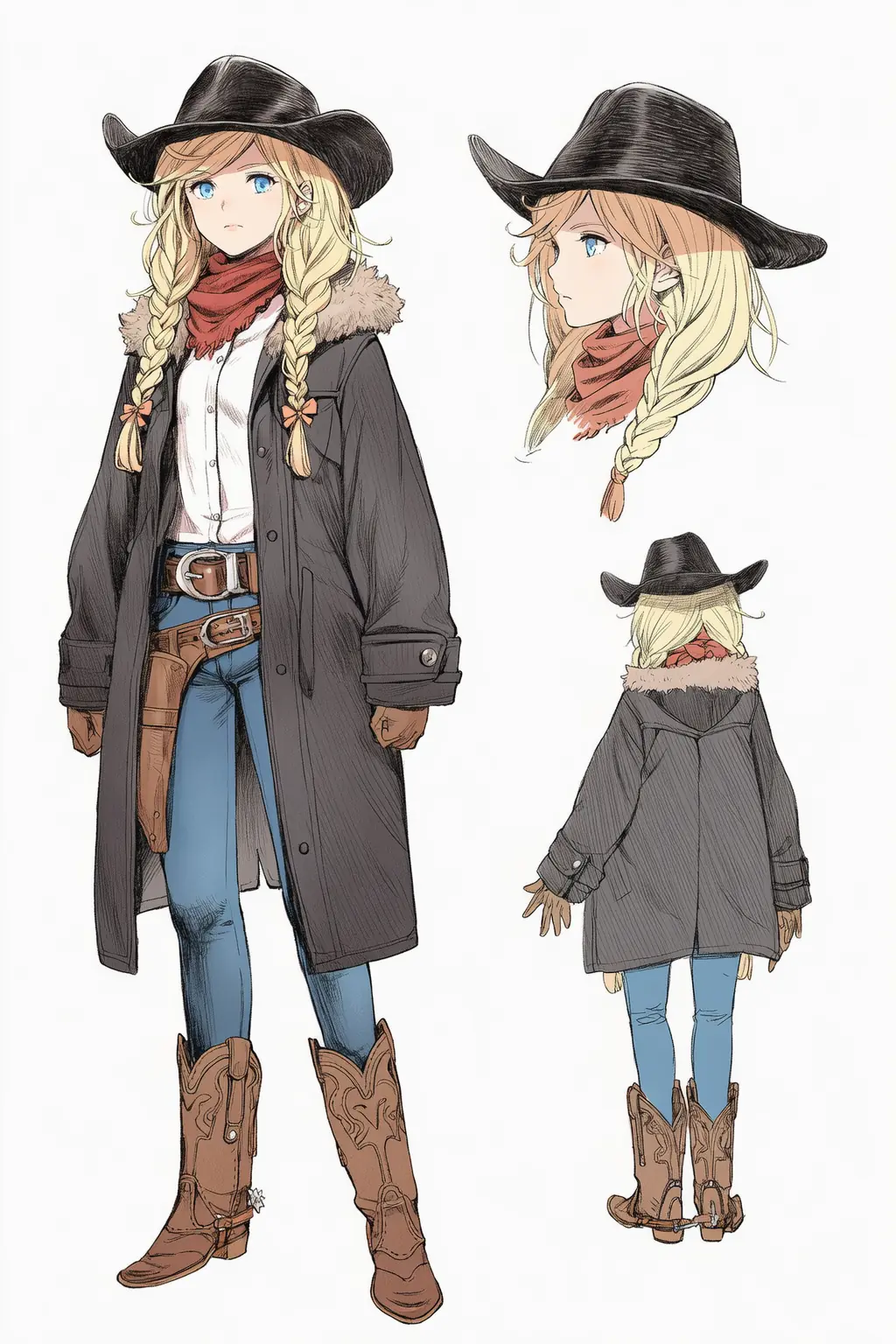
If you are aiming for a single flexible reference that allows you to generate many different views, using a turnaround reference sheet with multiple views may be the best choice for you. In any case, your reference will always be fit into a canvas of one of the three sizes mentioned above.
Some tags you may be interested in when creating an image to use as a Character Reference include:
multiple viewswill generate your character in multiple different angles.turnaroundwill usually show off both the front and back of your character when combined withmultiple views.reference sheetwill generate a design sheet of your character, though you may want to also useno textto stop the AI from writing design notes on your image.cropped shoulderswill give you a close-up shot of your character’s face when combined withmultiple views.expressionswill generate multiple close-up shots of your character’s face with different facial expressions. Including a couple of tags for specific face expressions will make for a stronger effect.
Note: Precise Reference is only available on our V4.5 models. Vibe Transfer is currently incompatible with Precise Reference.